Professional Ship Simulator PC System Requirements
Steam minimum versus recommended, plus practical notes for Unreal Engine 5 water.
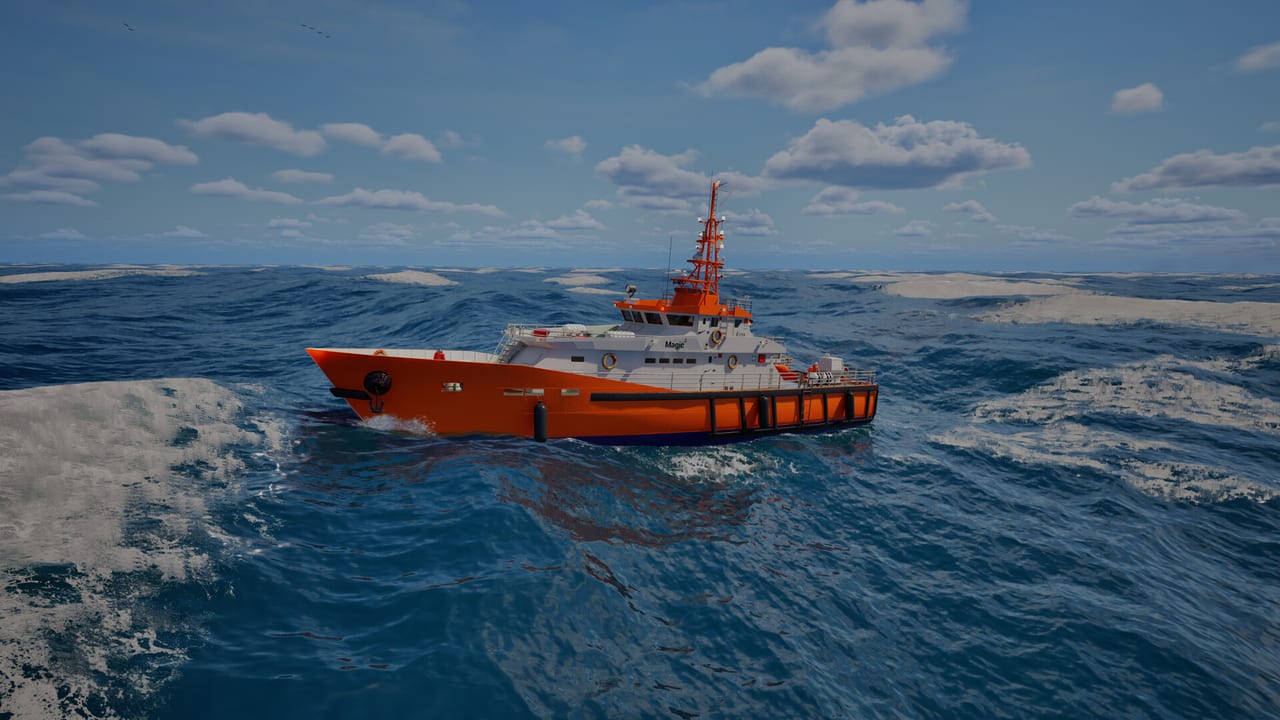
Professional Ship Simulator is a Windows-only Unreal Engine 5 maritime sim. Steam’s published lines are already serious: this is not a lightweight arcade boat game. Use them as a floor, then let the free demo be the real test. Paid Early Access is scheduled for 16 September 2026. Buying a new GPU “for launch day” without running the demo is how you overspend.
This page quotes the Steam minimum and recommended blocks we pulled from the store API, then explains what they mean next to getting started and the preview.
Steam minimum
- OS: Windows 11 Home
- CPU: Intel Core i5-12500H or similar
- RAM: 16 GB
- GPU: NVIDIA GTX 1080 Ti or similar, minimum 8 GB VRAM
- DirectX: 12
- Network: Broadband (the store lists it; you still play single-player)
- Storage: 16 GB
- Sound: DirectX-compatible
Two details surprise people. First, Windows 11 is the named OS, not Windows 10. Second, the GPU line is an older high-end card with an 8 GB floor — the bottleneck is VRAM and water, not a brand-new RT flag. A 6 GB card that “runs other UE5 games on low” may still fail here.
The CPU example is a laptop 12th-gen i5. Desktop equivalents (i5-12400, Ryzen 5 5600/7600 class) are the conversation, not a 2016 office quad-core.
Steam recommended
- OS: Windows 11 Home
- CPU: Intel Core i7-13700HX or similar
- RAM: 32 GB
- GPU: NVIDIA RTX 4070 (12 GB) or AMD RX 7800 XT
- DirectX: 12
- Storage: 16 GB
- Sound: DirectX-compatible
Recommended is the “I want rain, night, AI traffic, and a merchant bridge without the water tearing” line. 32 GB of RAM is the quiet tell that UE5 plus a living sea is hungry. If you have 16 GB, close the browser zoo before you enter Dover.
What Steam does not promise
- macOS / Linux: not listed.
- Steam Deck: compatibility unknown. Partial controller support exists, but Deck is not a target in the FAQ.
- VR: community wish, not a store requirement.
- Shared sessions: none. Extra cores will not host a friend.
A broadband line is listed even for a single-player sim. Expect Steam always-online checks, cloud, and rankings. A true offline guarantee was not in the materials we used.
Practical settings advice
Run the demo in the same harbor you actually care about. A calm Rügen basin on a small beginner ship is cheaper than a foggy Dover container approach. If frame-time spikes when you look at wakes, drop water quality before you drop resolution — depth perception matters more than a sharp crane.
Vsync or a frame cap beats tearing when you are judging a fender. Motion blur is a docking enemy. Keep UI scale high enough to read radar CPA and the HUD rudder tape; the controls page is useless if you cannot see the HUD tile you are clicking.
Storage of 16 GB is the install floor, not a screenshot library. Leave headroom for Steam and for future scenery tiles mentioned on the roadmap.
Laptop owners: the named CPUs are H/HX parts. A 15-watt U-series chip that shares 8 GB of system RAM with the iGPU is the wrong machine. If you can run the demo at 1080p with a stable helm view, you are close enough to wishlist. If you cannot, believe the demo, not a YouTube 4K trailer.
For the rest of launch week, pair this page with Early Access and official links. Specs can change; Steam is the authority.
Frequently Asked Questions
Quick answers before you take the helm.
Can I run it on Windows 10?
Steam lists Windows 11 Home as the minimum OS. Do not assume Windows 10 is supported.
Is 8 GB of VRAM enough?
It is the published minimum, tied to a GTX 1080 Ti class card. Treat 8 GB as the floor, not a comfort zone.
Should I buy a new PC before 16 September 2026?
Install the free demo first. If that already struggles, upgrade. If it is fine, wait for EA patches.
Does it support Mac or Linux?
Not on the Steam platform flags we checked. Windows PC only.