Professional Ship Simulator Guides & Walkthroughs
From the free Steam demo to your first career voyage on Rügen or Dover.
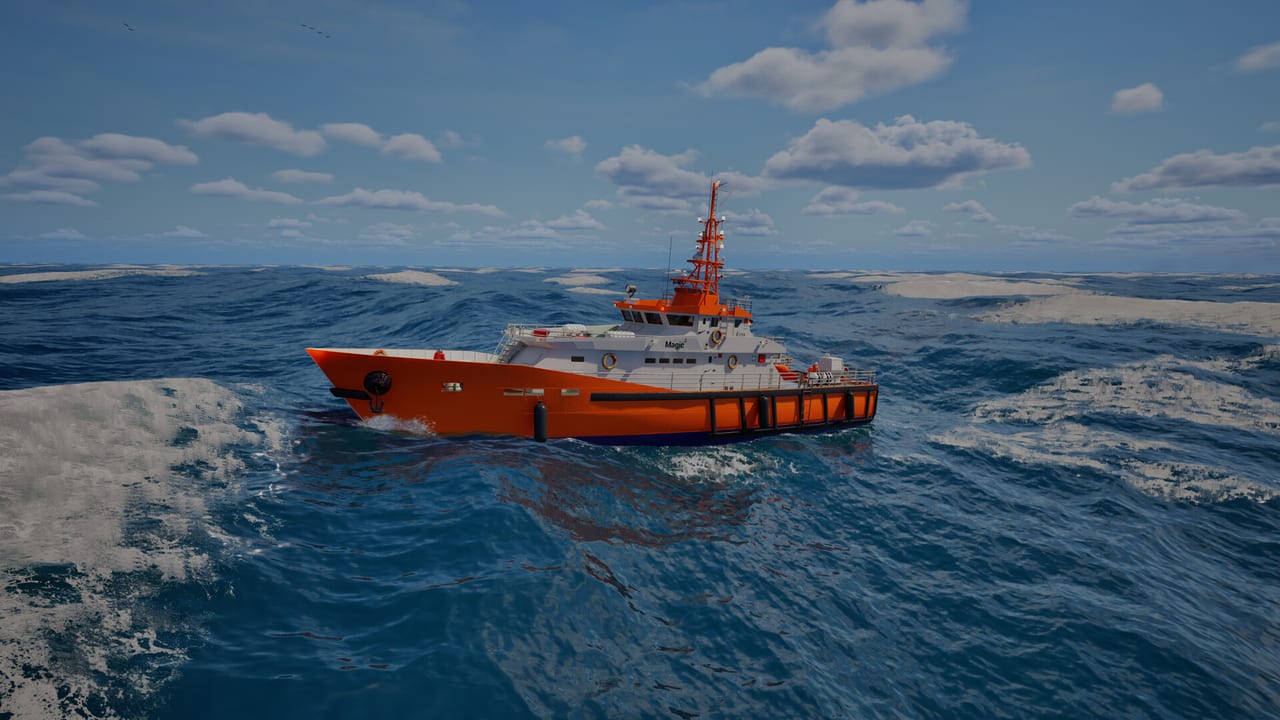
This hub is the map of every Professional Ship Simulator tutorial on the wiki. The game is a single-player PC maritime sim from SWE Systems and Aerosoft, previously shown as NauticXP. Steam Early Access is scheduled for 16 September 2026. A free demo is already on Steam, which is why these pages talk through cold starts, cameras, and harbor work instead of pretending a finished 1.0 career already exists.
If you are new, start with getting started and how to play. If you already know you will fight the keyboard, jump to controls or the printable keyboard layout. Captains who only want a ship recommendation should open the ship list rather than grinding a cruise liner on day one.
What these guides assume
Professional Ship Simulator is not an arcade boat game. Propeller walk, bank effect, wind, current, and line tension are first-class systems. The in-game tutorials exist, but they move quickly and they assume you will also read the checklist panel. Our pages add the missing “why”: why you switch batteries before generators, why a bow camera is safer than a locked bridge view in a lock, and why calling a tug costs XP even when it saves the hull.
Use the system requirements page before a long session. The Steam minimum already asks for Windows 11, 16 GB of RAM, and an 8 GB GPU in the GTX 1080 Ti class. The sim is Unreal Engine 5 with live water, so a weak card will steal the attention you need for radar and mooring.
How to use this hub
Read in this order if you have not launched the demo yet:
- Getting started — install, cameras, cold start, first undock.
- How to play — game modes, HUD, autopilot, radio, XP.
- Career — Level 2 progression, licenses, Harbor Office, housing unlocks.
- Controls — keyboard layers, gamepad, thrusters, checklists.
- Docking — lines, anchors, bow and stern thrusters, bank effect.
- Weather — presets, real-time data, dynamic fronts, Fast Travel surprises.
- Missions and repairs — jobs, buoys, dry dock.
- Maps and physics — Rügen chart, bank effect, AIS/CPA.
- Review — who the sim is for, and what is still Early Access.
After that, pick a hull from beginner ships and a region from the maps page. Career mode starts you as a small harbor operator; treating the first evening as a training syllabus beats buying a tanker license you cannot berth.
Tutorials versus open world
The developers ship guided mini missions, predefined scenarios, career progression, and a sandbox where you choose ship, harbor, and weather. New players should stay in tutorials until they can start engines, leave a berth without scraping, and plot a waypoint without driving over a bank. Open world is excellent once those habits exist. It is a poor classroom if you spawn in fog on the Dover traffic separation scheme.
Weather is not cosmetic. Presets, real-time data, and dynamic fronts all change drift and visibility. If you want atmosphere, read the review notes on sea state, then keep a calm preset until docking feels boring.
Related hubs
Ship handling questions often turn into equipment questions. Compare classes on the ships hub, check Early Access timing, and keep official links for Discord and the nauticxp.com wiki. When a patch lands, the updates hub is the place we will fold changelog facts back into these tutorials.
This wiki is unofficial. If an in-game tooltip and a page here disagree after a beta build, trust the live client and send the official team a report. Our job is to organise the public information so you spend less time hunting forum posts and more time watching the bow.
Frequently Asked Questions
Quick answers before you take the helm.
Which guide should I read first?
Start with getting started, then how to play. Skip to controls only if the keyboard is already blocking you.
Do I need the paid game to follow these pages?
No. Most camera, cold-start, and docking advice applies to the free Steam demo. Early Access itself is still scheduled for 16 September 2026.
Are YouTube videos official?
Some embeds are official Nautic XP / Aerosoft footage; others are creator walkthroughs. Each page names the clip. We do not invent video IDs.